Uploads failing on Sensorgnome running V2 software. Tried a manual upload with username/password credentials which produces error “bad user/pass” when same username/password works ok when accessing the Motus web site?
Are you still having this issue?
Yes, issue still persists.
What is the serial number of the device / project number?
Update started again this afternoon? Used Statcuity remote web access to check this morning without success. Looking up the information you asked for saw that latest update was this afternoon! Checking the Stacuity data use monitor the activity started, presumably properly, 10:00-11:00 BST. Will continue to monitor. Thank you.
I’m struggling to get my station to upload (SG-7F0DRPI44857). My experience is exactly as described by Michael_Howland1 in the original post. I’m running software version SG 2024-271 on a RPi4. More details are in the uploaded image.
I’ve searched the forum and documentation and can’t seem to find a solution. It appears this was resolved, but the details aren’t listed. Under the “Help” button on the Files page it mentions that authentication to the Motus server is in flux. Has that been worked out yet? Also, I don’t see my station on the map. Does it need to upload before that occurs or is this a separate problem?
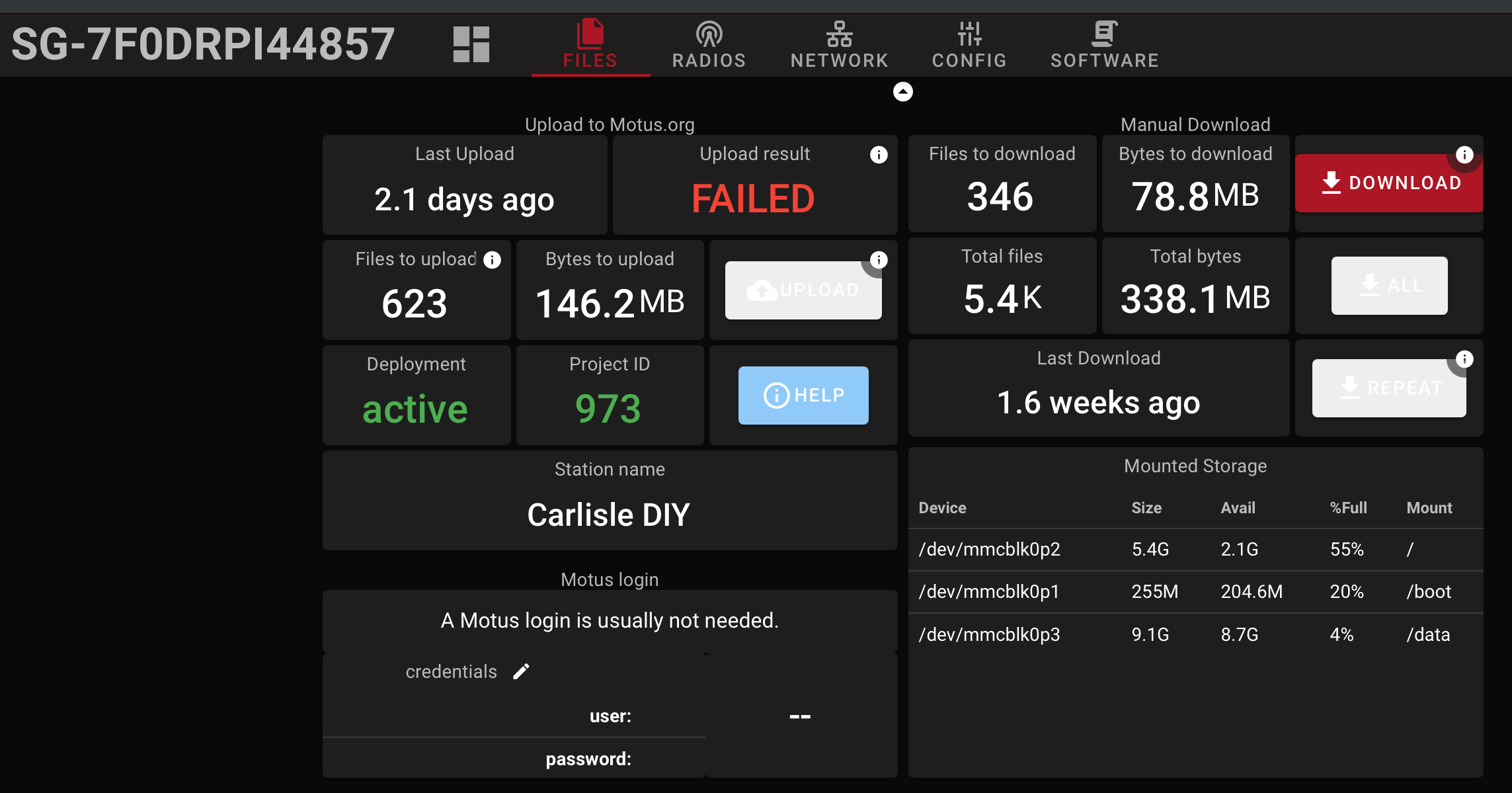
Posting here is the right approach! (Except that I’ve been a bit absent as of late…) Thanks for posting the screen shot! Your station weas failing to upload due to consistently a Motus server error. This “was resolved” around 2pm UTC today, I have no idea what changed as I’m not aware of back-end changes.
A good first step for taking a look at uploads is https://www.sensorgnome.net where you can see what all the SGv2 Sensorgnomes are doing and thus whether yours is different or not.
Let me know if you have further issues (prob best to open a separate thread if you do)!
I’m sorry to hear that. I’d love to help, but you didn’t provide any details such as SG id and/or screen shot of the issue… 
Thanks Thorsten!
We (Motus central) have been having various server issues lately affecting processing, uploads, etc. so access has been intermittent over the past few weeks. We are working towards resolving these. Our apologies.
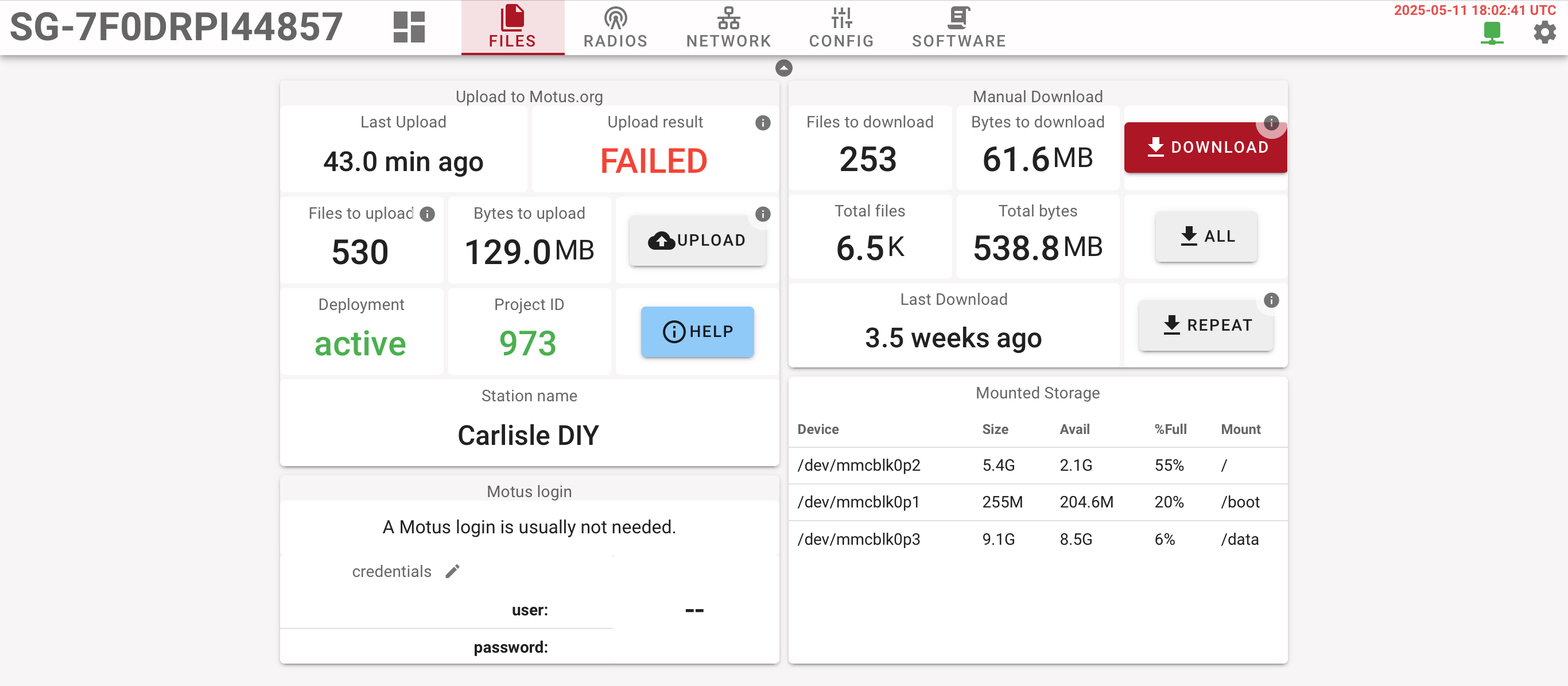
I took a look at yours and the uploads are consistently failing due to the server responding with HTTP 413, which is “payload too large”. It attempts to upload a bit over 30MB archives and I forget what the limit at the server end is, but evidently <30MB. We made some changes not too long ago…
Your SG is however actually uploading. If you look at the UI you should see a relatively constant number of files & bytes left to upload. These are for the days that exceed 30MB (I think there are 4 'cause I see ~130MB to upload). What happens is that it uploads the new files and then retries one of those stuck days and errors out, which is why it says “failing” most of the time.
I need to look at what I fixed and whether it makes sense for you to upgrade.
Okay. Thanks for checking it out. I’m happy to upgrade whenever you are ready. I’ll wait to hear from you.
Thanks for that, I too have one station that acts very similar to Techbirder’s.
Seems stuck at around 160MB of files to download. I’m guessing at least one file is bigger than the 30MB limit, so holding back the rest.
Can be very noisy during the day but quiet during the night, very good at finding tagged owls.
Just to be clear: the catch-up uploads happen one file per day. A failure does not “hold back” any other day nor current day hourly uploads.
Thanks for the clarification. What directory would the files be under? Could I just “Putty” in and delete the extra large files (>30MB)? I’m guessing it’s mostly daytime garbage.
If so, which account would it be best to log in as?
Or just burn a new SD-card and go from there (ie. define ports).
Go to the web interface, files tab, click on download. You can then probably upload the files manually to Motus…
Thanks Thorsten. Downloaded the zip file to the local PC then used the Motus Server Jobs page to upload the zip file. When I opened the zip, the largest file was 303 KB.
Before that i tried the Upload button on the local SG web interface as well, authenticated, started uploading, then showed Failed about 5 to 8 seconds later. Just enough time to think “hey this is working” but not.
Is there someway to clear the stuck files on the actual SG or will it continue to show 168.8MB to upload and the FAILED red status on the SG HUB?