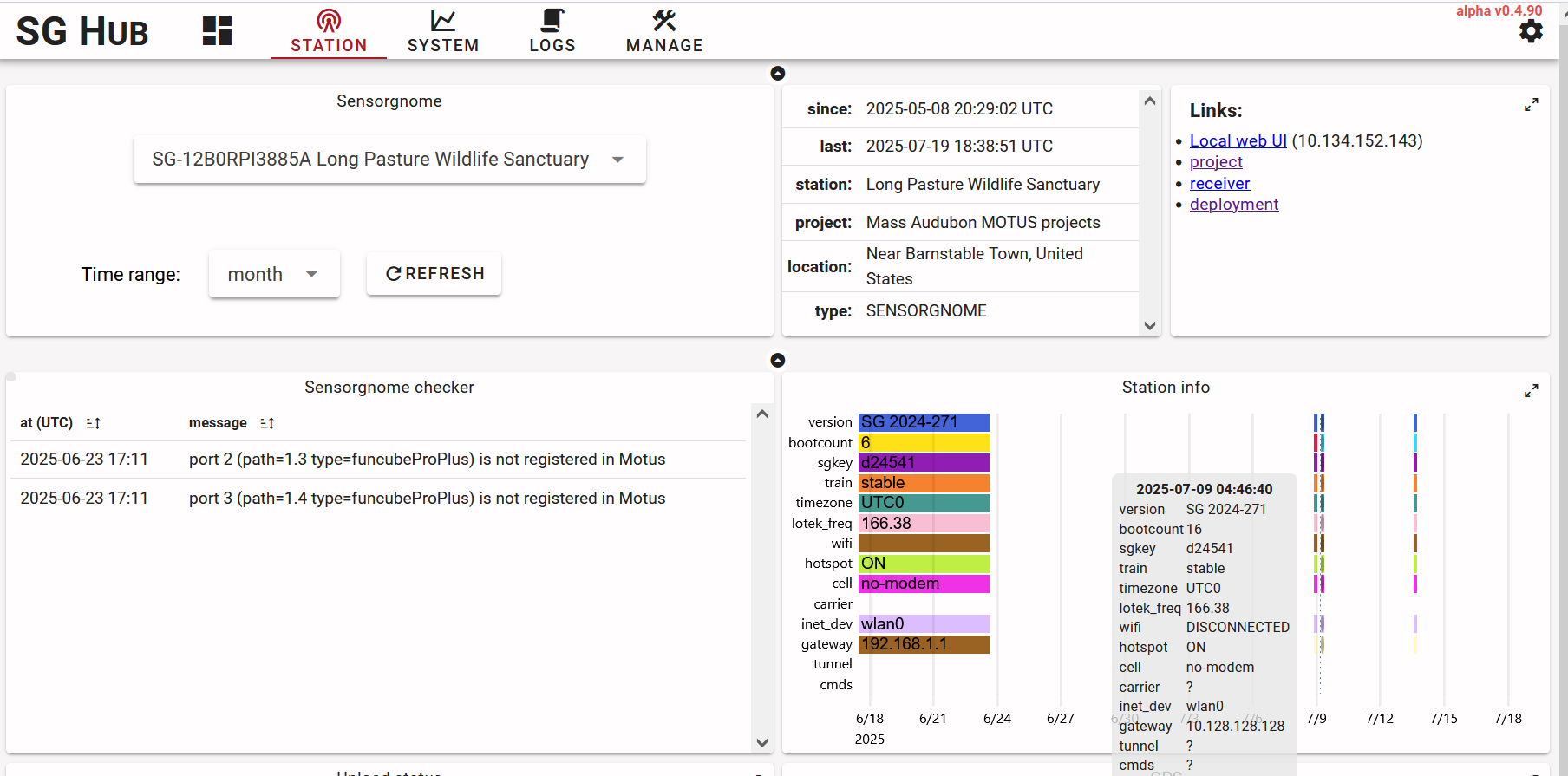
We recently installed a station with a SensorGnome receiver – that would be SG-12B0RPI3885A Long Pasture Wildlife Sanctuary – and things seem to be a bit off. Two questions:
I’ve seen the new SensorGnome V2 user guide on motus.org, which has certainly been helpful, but is there any guidance on using a SensorGnome after the initial setup? For example, how to use SG Hub (sensorgnome.net) to monitor and troubleshoot stations remotely? What exactly are all those widgets saying? I can guess, but confirmation would be nice and I’d like to gather as much information before making a trip the station for adjustments.
Would anybody be willing and able to provide insight on why the station isn’t working? The install was on June 24th, 2025. Information before then was when I was testing receiver at my home, before deployment at its current location. I suspect it’s either an inconsistent power or inconsistent Wifi connectivity issue, probably the latter, as some information is seemingly sent to SG Hub when it does connect (twice on 7/9 and most recently on 7/13).
Welcome to the community of SensorGnome users! Your questions are likely best answered by Thorsten or Josh, they do a great job helping us out.
But with regard to question #2, looking at the SG Hub for your station, my guess is an intermittent Wifi connection. If you look at the data returned on the 9th and the 13th, the boot count parameter does not increase, it stays at 16 (if it was intermittent power, I’d expect the boot count to increase with each power on/off cycle, at least that’s what I’ve seen for my stations).
if you take your laptop out to where the SG is, can you log into the same wifi/router with the laptop (if not then it’s unlikely the Raspberry Pi can either)
if you can log into the wifi with you laptop, can you “see” your SG on the router?
- on your laptop, call up the SG Hub webpage, call up your SG, then under the “Links” click the “Local web UI” address. That should take you to your SG.
(alternatively, you could just log into the router and see if your SG is in the list of attached devices)
As for possible solutions, just the usual suspects:
a closer router
raising the height of the raspberry pi
an external antenna for the raspberry pi might help but I have no experience with those, sorry.
Thanks for answering, Mark! I see that the SG connected twice on 7/8 and 7/9 after reboots, and once on 7/13 without reboot. It also connected 7/19 but didn’t upload log files but doesn’t seem to have rebooted either.
For 7/13 when it reconnected I see no log entries about the wifi, which means that it didn’t just reconnect and then loose the wifi again. In fact, on 7/9 I see a sequence where it reconnects to wifi, sends logs, then fails to send logs, then succeeds again. All the failures have an error of “host unreachable” which can come from an upstream router. So I’m wondering whether the problem isn’t upstream of the SG…