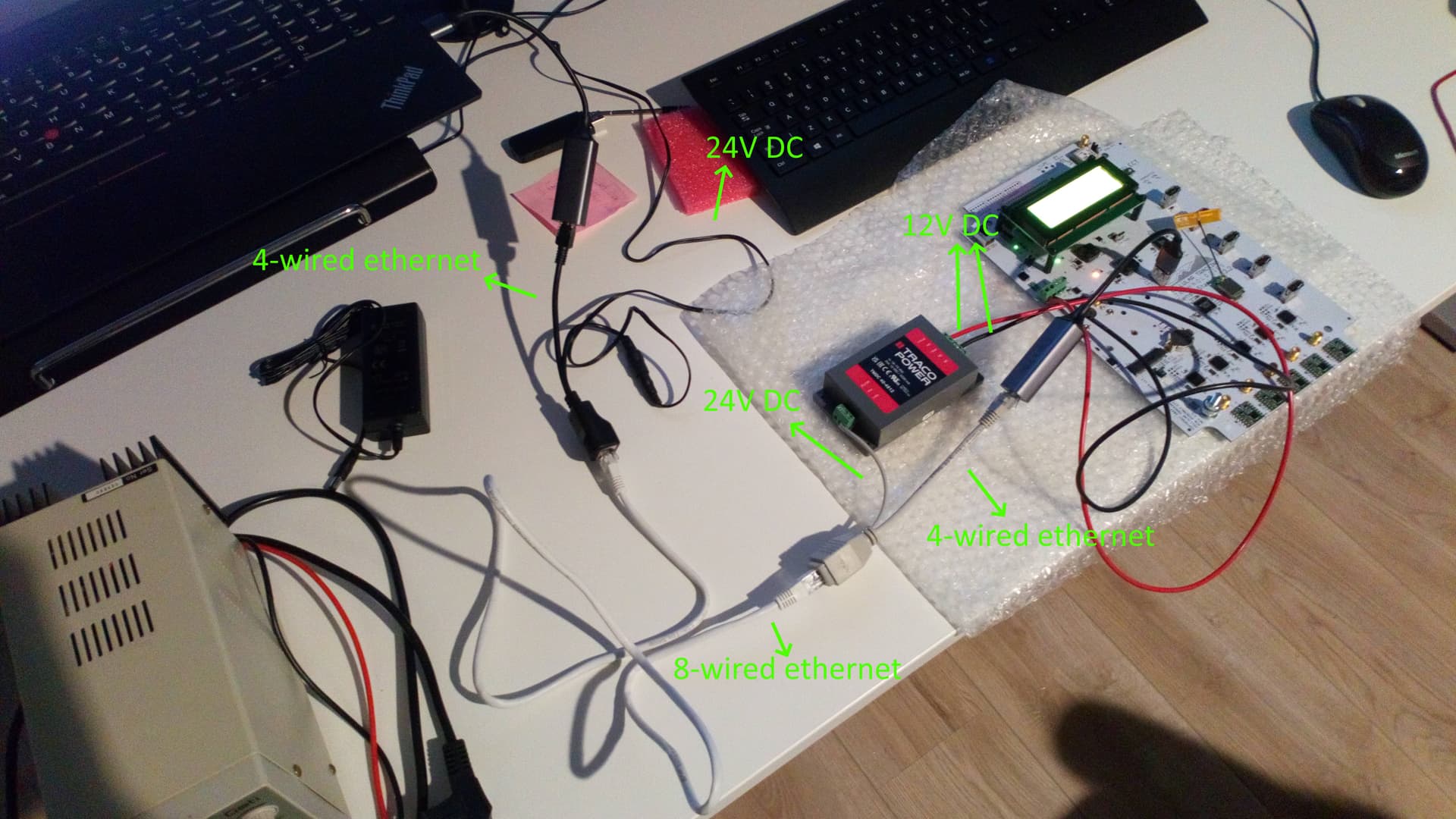
As part of our current plans for Motus station design, I’m trying to get a SensorStation connected to PoE. I’m using a “dumb” PoE connector, which always provides 24V, and which is connected to a DC-DC converter, providing a 12V input to the SS. The power works fine, and the SS boots without issue. However, I cannot get the ethernet part of the PoE connection to function properly.
The ethernet connectors on both sides of the PoE connector (which go into my laptop and the SS, using these Ugreen usb ↔ ethernet adapters) are 4-wired connectors, having wires on pins 1,2,3, and 6. To my knowledge, these should be sufficient for an internet connection (albeit not at the most modern speeds, but the SS shouldn’t need those anyway). Between the two PoE splitters is an 8-wired ethernet cable, presumably carrying the 4-wired ethernet connection and the (functional) power connection.
Ethernet connections and how many wires you need are a bit outside my area of expertise, so I’m hoping other people have successfully set up PoE-powered Motus stations in the past. A few questions I have:
Are (standard) usb ↔ ethernet adapters compatible with 4-wired ethernet connections? If not, this is likely the cause of the problems.
Assuming my adapters are not the problem, is the rPi on the SS compatible with 4-wired ethernet connections?
If I’m told we must use PoE, what would be the best way to do so? I understand the SS is likely not compatible with “smart” PoE injectors, which are the ones that will likely be available. Would it be best to use a “smart” splitter, to tell the injector that I want 24V (or 48V) across the wires? Is such a thing even possible? Ideally it’d essentially just be a DC-DC converter that tells the injector it wants a certain voltage, and also splits off the ethernet connection.
Again, this is a bit outside my area of expertise, so any help is greatly appreciated!
You are trying to use “802.3af” which has two flavors (more confusion). The best table on the wikipedia page is the last one “Pinouts”. What you are trying to use is 10/100Mbps ethernet, which only needs two pairs (4 wires), and you’re trying to use “mode B” which means that 2 pairs are for data and 2 for power. This works fine, the only caveat is that sometimes I’ve had to force the switch port to 100Mbps instead of auto-detecting (only works with a managed switch).
The mode B is commonly used by non-gigabit injectors because it’s simple. If you end up using a PoE switch, i.e. PoE built-into the switch, then it’s almost for sure going to use “mode A”, which means that power is fed on the same 4 wires as the data. In addition, PoE switches output around 48V (up to 56V). A simple splitter at the rPi end that forks off 4 wires to power isn’t going to cut it. The best thing to get is a Gigabit rated splitter which guarantees (if it’s properly made) that it can handle power+data on the same wires.
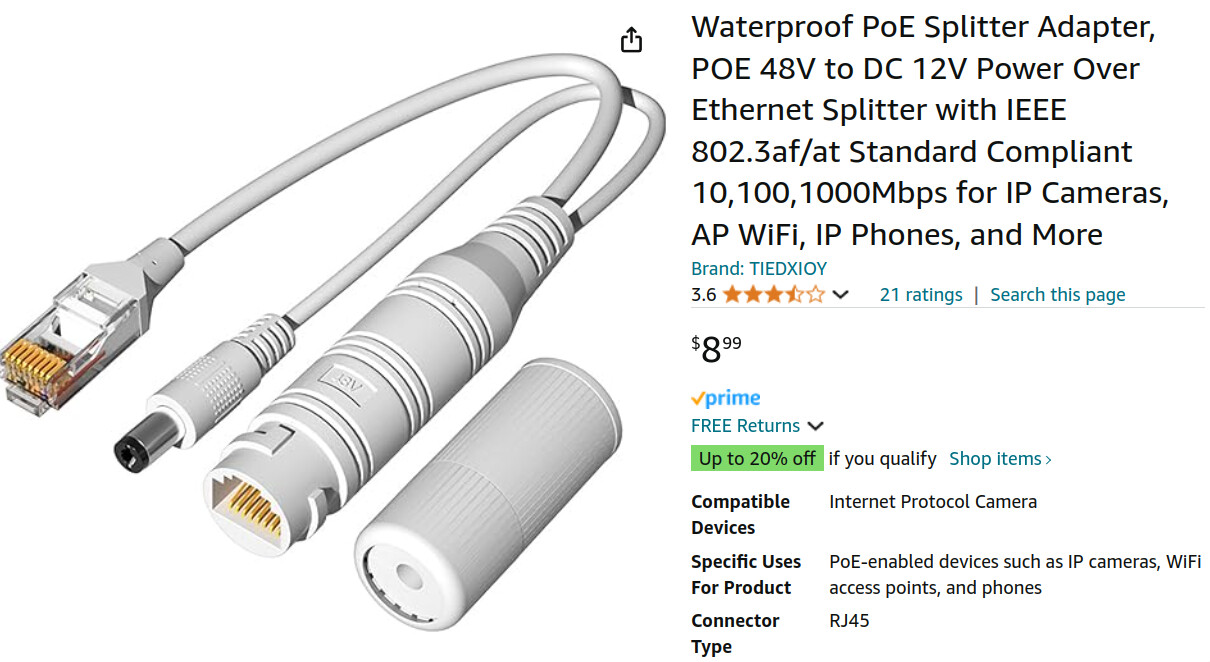
I got a 802.3af Gigabit 12V splitter a couple of weeks ago to power an IP camera and it has been working fine so far. The device gets a bit warm (expected) and I’ll really see how it does next summer when it’s hot, so I can’t yet recommend it, just don’t know. If you want to spend more money there are industrial grade versions available but being a cheapskate I don’t have links.
Something to note is that 802.11af specifies that the power provider (i.e. the injector/switch) determines whether mode A or mode B is used and the device receiving power has to be able to handle both to be 802.11af compliant. Also, a number of vendors (ex. Ubiquiti) have used mode B with 24V for a number of years predating the standard and continue to do so, which continues to create confusion…
In order to test your set-up I would recommend getting a PoE switch (gigabit 5-port unmanaged switches start around ~$40) or a 802.11af gigabit 48V injector. The gigabit part ensures that they share data&power on some wires, which is what you’ll be contending with in the field, it sounds like.
the PoE splitter you have looks like it’s not going to work with a PoE switch
you say that the ethernet part is not working, but you don’t say in which way. First step is to SSH into the SS, type ip addr and observe the interfaces you have, then plug the ethernet adapter in (no ethernet cable needed) and repeat and see that it got detected. Then plug the ethernet cable in, wait 20 seconds, and repeat and see whether you got an IP address. Pasting what you observe here may help… If the adapter doesn’t get detected sudo dmesg -wH and looking at the last lines may provide some clues.
The ethernet is not working in the sense that the SS does not connect at all: it does not display any ethernet IP address.
We have a gigabit PoE++ injector (802.3bt) for testing as well. I haven’t been able to test that one, because we don’t have a splitter that tells it what voltage is required, so it just puts ~1V across the power part. We’ve ordered an appropriate splitter. When it arrives I’ll test the functionality and post the results here for posterity.
I was hoping that the simple static 24V/48V mode B injector with a 18V-75V → 12V DC-DC converter would work, as it seems a bit overengineered to me to use a PoE switch with dynamic voltage range if you know beforehand the exact voltage you’ll need across the receiving device (personally I wouldn’t bother with PoE at all and just use two cables: one for power and one for ethernet. I’m not in charge of those sorts of design choices here, though). Seems like it’s simply necessary to use the more sophisticated PoE setup.
The simple PoE injector you have should work. You most likely have to force one of the ends to 100Mbit, this can be done in the switch (if it’s a “managed switch”) or in the rPi using the ethtool command. I’ve had to do that for an rPi I have here where I used the type of injector/splitter you seem to have.
The 802.3af gigabit injectors are not really that much more sophisticated or expensive than the simple ones. I’m mostly suggesting them because they end up with fewer complications in my experience and because I thought you were going to use PoE switches in the field, but I seem to have misunderstood that second part.
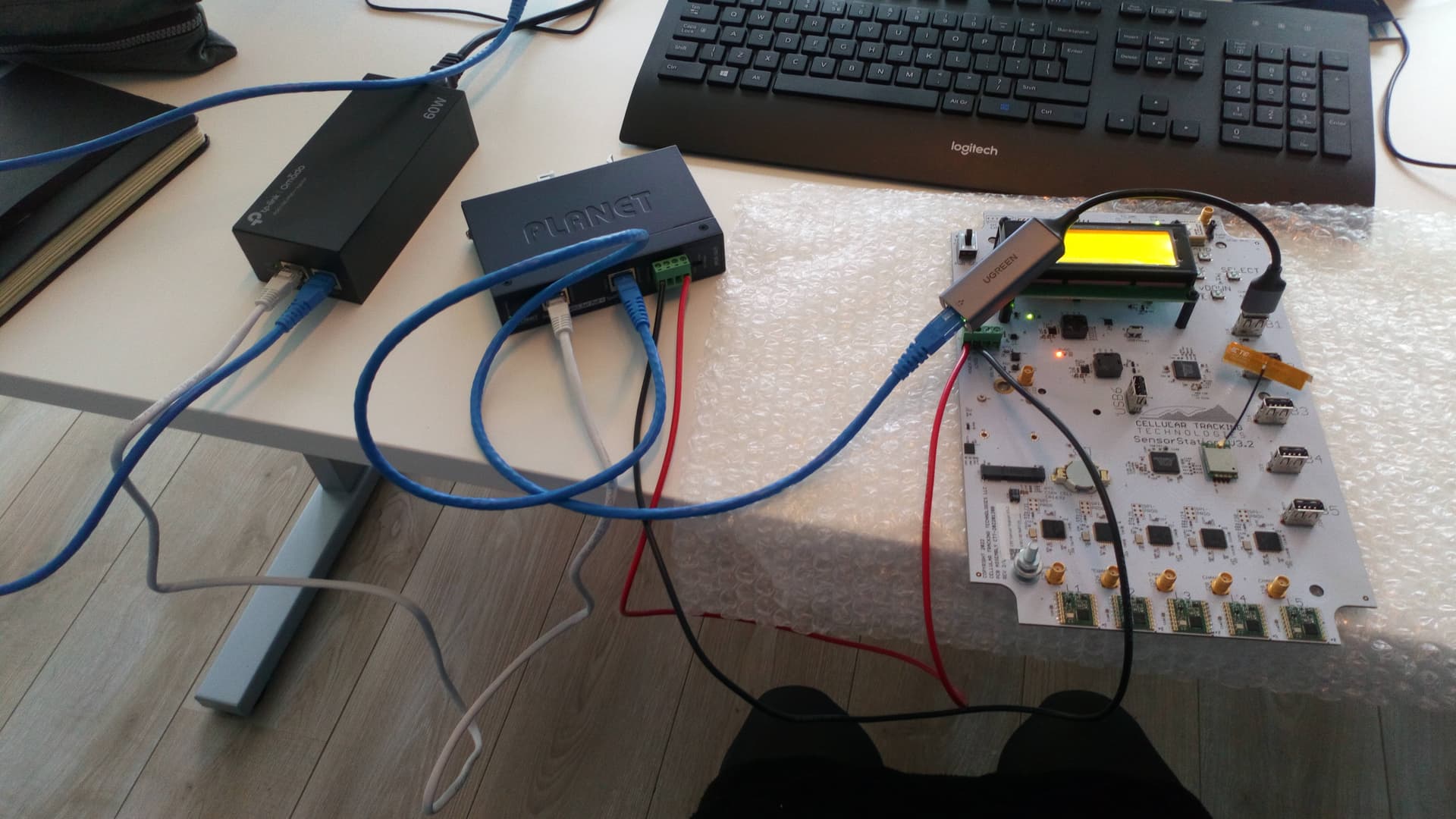
With a proper splitter it essentially becomes plug & play! I used the 802.3bt injector with a 802.3at splitter, and that was all it took for the system to function. The setup, for posterity:
Small edit to clarify the components used: this setup uses an Omada POE170S injector, and a Planet IPOE162S splitter. The splitter has to be set to 12V when using it with a SensorStation - 24V will damage the SS!