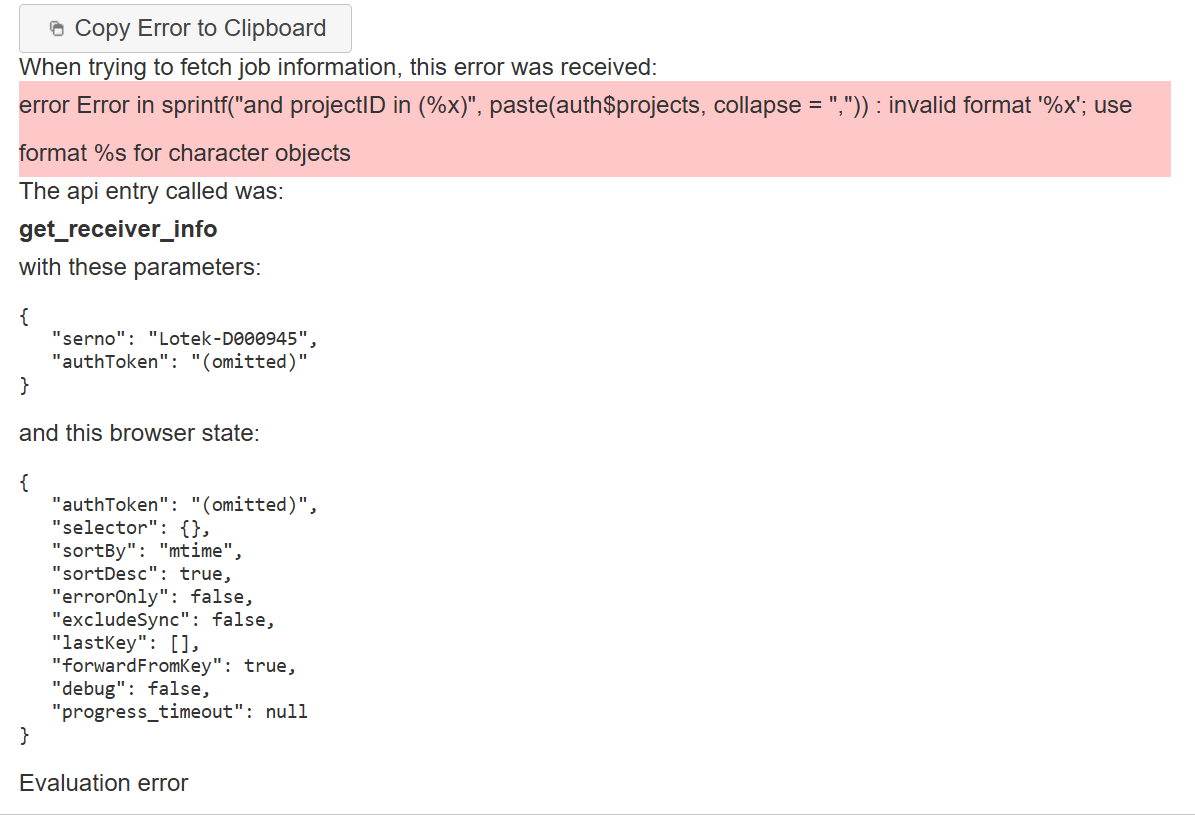
So based on my knowledge of coding it appears it does not like some character that is in your project ID or projects. I used Gemini to get more details on it. It appears that something about the submission has a text when all it is expecting is numbers. Did you use some odd character in your projectID or project name?
Google Gemini Output
This error indicates that you are trying to insert text (character strings) into a placeholder that is specifically formatted to receive integers or numbers.
In R’s sprintf() function, %x is a format specifier used strictly for hexadecimal numbers (integers). Because your paste(auth$projects, collapse=",") outputs a single text string (e.g., "project1,project2"), R throws an error because it doesn’t know how to turn those names into hexadecimal format.
How to Fix It
You need to change the format specifier from %x to %s, which stands for “string” (character data).
Incorrect Code:
R
sprintf("... and projectID in (%x) ...", paste(auth$projects, collapse=","))
Use code with caution.
Corrected Code:
R
sprintf("... and projectID in (%s) ...", paste(auth$projects, collapse=","))
Use code with caution.
 A Critical Warning for SQL Queries
Based on the syntax and projectID in (...), it looks like you are constructing a SQL query using string manipulation.
If auth$projects contains text names (like "alpha", "beta"), just changing it to %s will output:
... and projectID in (alpha,beta) ...
This will cause a SQL syntax error because SQL requires text strings to be wrapped in quotes: ('alpha','beta').
To fix both the R error and the SQL formatting at the same time, collapse your strings with single quotes included:
R
# Wrap each project name in single quotes, then collapse them
project_list <- paste0("'", auth$projects, "'", collapse = ",")

# Safely insert the string into your query using %s
query <- sprintf("... and projectID in (%s) ...", project_list)