CTT station frozed problem

Hello everyone:

I’m having problems with an online Motus station that is not uploading any data to the Motus servers, even though the Ethernet connection itself seems to be working properly (I tested the cable by connecting it directly to my PC, and it transmitted internet without issues).

The station’s LCD display is stuck on the main menu (where it shows File Transfer, System, Network, and Server), but none of the buttons respond. The navigation arrows do not work, and none of the up, down, back, or select buttons register any input.

I suspect these two issues are related. I have rebooted the power supply several times, but the problem persists. I removed the station’s motherboard and brought it to my lab to inspect it. I did not find any obvious visual damage: the fuses appear intact, and the Raspberry seems to be correctly connected.

I also tried connecting to the station via my PC’s command lines. I can see the station’s IP address using an IP scanner (because the LED itself wont show me the station IP), but none of the default credentials work (“raspberry”, “ctt-station”, or “ctt-sensor”), so I am unable to access the system to force data transfer or run diagnostics. The station is a CTT SensorStation.
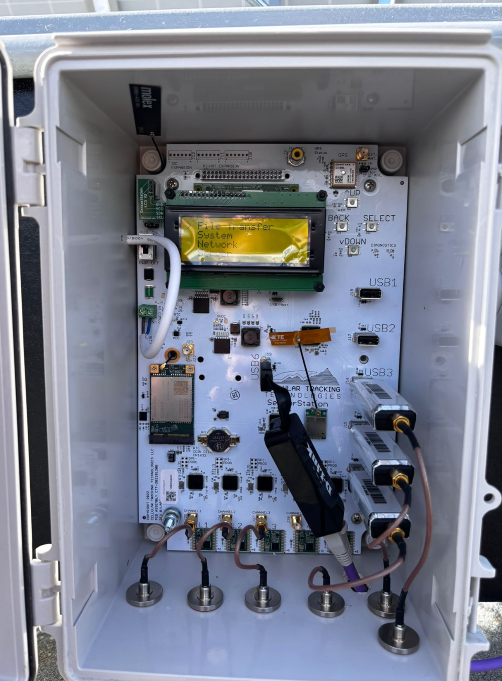
When I access the station’s IP address through a web browser, the interface reports that the radio is off and asks me to restart the webpage in order to make any changes, but this does not resolve the issue, and any change I “make” are in reallity not registered
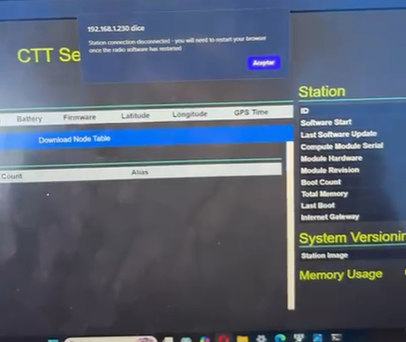
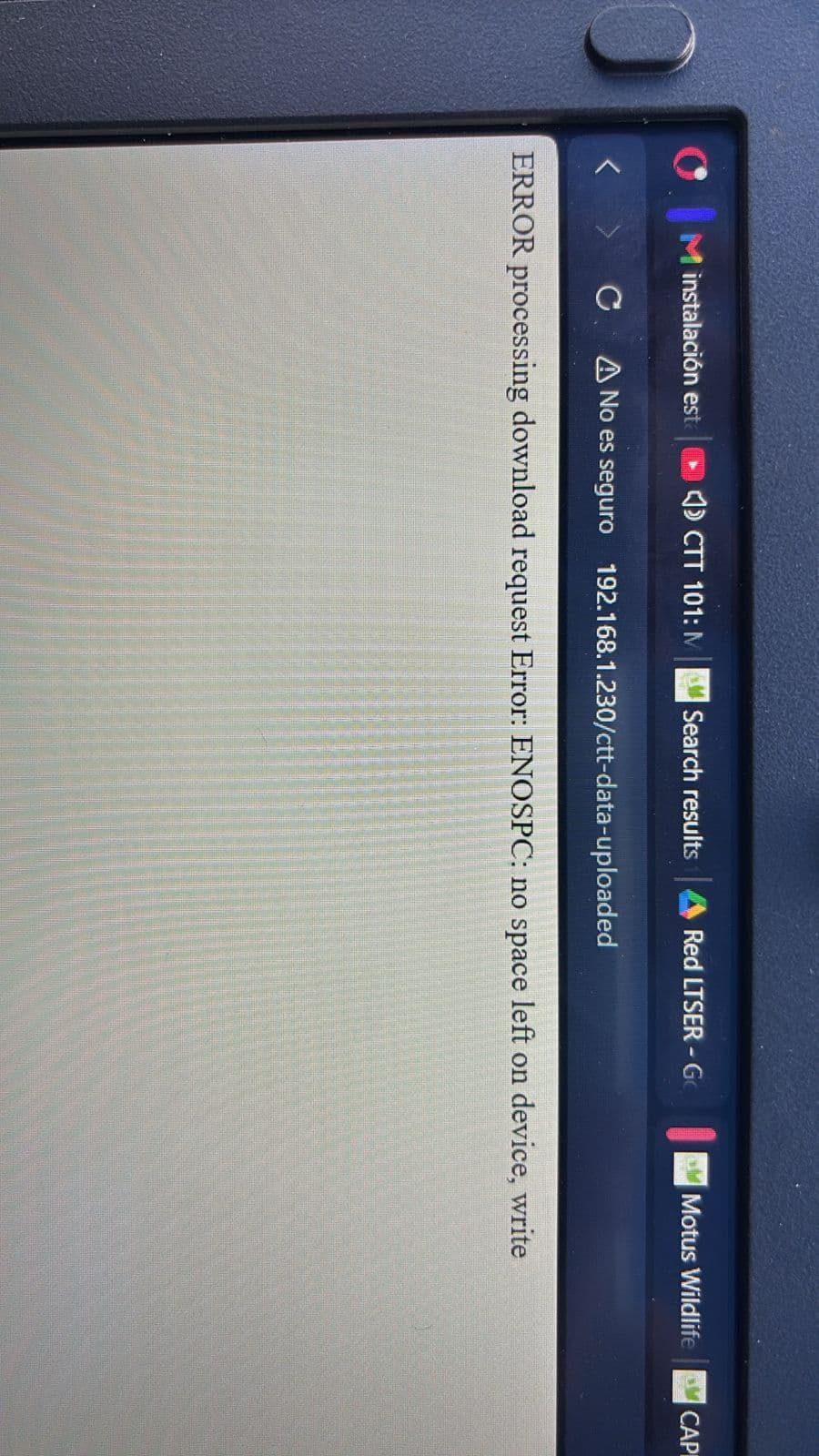
.

The station last successfully transmitted data on September 12, 2025.

Is there anything else I should check on the station to better diagnose what might have happened? At this point, the diagnosis is becoming quite difficult, and I’m running out of ideas to find a solution.

Thank you in advance for any guidance.

Hi Matias,

My name is Meelyn Pandit and I am a developer at CTT.

My guess is that the stations usb bus seized up due to the funcubes and Ethernet cable. With both of those devices plugged in it overwhelms the usb bus. This causes the rest of the station to crash.

Try powering off your station, removing the funcubes, then turning your station back on. Are you able to see the web interface after that?

What’s your station ID? I will try to see if I can remotely access it.

Hi, thank you for your answer.

I’ll go to the location and check what you suggest.

In the meantime, the station ID is 13696.

Is there anything inappropriate that we could have done in the setting of this station for it to get this kind of issue?

I’ll update here soon!

Thanks but I need your CTT station ID. It should start with “V3”.

If your Motus project is public I can try to look it up through the project name or Motus station id.

sorry Meelyn.

The ID is V30B0154D225

Thanks! I assigned it an autossh key, if you’re able to go to the station and use the buttons next to the LCD screen to select System –> Bash Update, the station will take the key sooner.

For now, please remove the funcubes from the station because they are most likely overloading the USB bus, especially if the station is also connected to an ethernet cable.

On your CTT account page, your station image software is 1.0.19. The current version is 1.7.0. Please update your station to the latest image software at your convenience. The updates help prevent the funcubes seizing up the USB bus.

Instructions on how to update your station image software are here:

WARNING!!! Any data on your station will be deleted after flashing the station compute module. Be sure to download your data before doing this step.

Dear Meelyn:

I haven’t been able to make this station work yet. Is there a way to do a backup of the data “by force”? This due to the fact that I couln’t install the latest firewall in any way. As you can see, the last data is not uploaded yet even tho the funcubes are removed.

What else could I do?

Thanks

Do you have an ethernet cable and a USB-ethernet adapter? If so I can walk you through connecting to the station directly to your laptop computer to download the data.

How accessible is the station?

yes, I have the cables to connect to the laptop. The station is easily accessible, in a place with a long ethernet cable (no wifi), near myself.

Ok, if you are available now I can send you a Zoom link to help you connect to the station.

I will send it in a direct message to you on the Motus forum.